The Blue Checkmark: How to Verify Your Tinder Profile in Seconds
Published Sun Feb 01 2026 by Thomas Jentzsch
 AI-generated
Welcome to your go-to guide for unlocking the power of the blue checkmark. In the world of modern dating apps, this small badge has become a big deal. It signals authenticity and helps you stand out in a crowded space.
Many platforms now face the challenge of fake profiles. This issue can make it hard for real people to connect with confidence. The good news is that a simple solution exists to prove you are who you say you are.
This system was designed to build trust and safety for everyone. It gives you a clear way to show you’re genuine. This process is not just about security—it’s a powerful tool to boost your profile’s appeal.
Best of all, earning this trusted status is incredibly fast. It only takes a few minutes of your time. Our friendly guide will walk you through the simple steps for a successful profile verification.
By the end of this article, you’ll know exactly why this feature matters and how to make your profile irresistible. Let’s get started on building that credibility today!
Key Takeaways
- The blue checkmark is a key feature for building trust on modern dating platforms.
- Verification helps combat the widespread issue of fake profiles and catfishing.
- This process is designed to be quick and user-friendly, taking only minutes.
- A verified profile can significantly increase your chances of getting quality matches.
- The guide provides clear, step-by-step instructions suitable for all users.
Exploring the Tinder Verification Process
In today’s digital dating landscape, proving your authenticity has become more important than ever. The verification process represents a significant step toward building genuine connections.
What is Photo Verification?
This security feature uses advanced face recognition technology to confirm your identity. You’ll be asked to mimic poses from your profile pictures during the photo verification process.
The system analyzes facial features and angles to ensure matches. This sophisticated approach helps eliminate impersonation and creates a safer environment.
 AI-generated
Why a Verified Profile Matters
That blue checkmark next to your name serves as an immediate trust signal. It tells others you’ve completed the rigorous authentication steps.
With approximately 40% of users now verified, standing out becomes crucial. People naturally gravitate toward profiles with the checkmark next to their name because it reduces uncertainty.
The benefits extend beyond mere visibility. Verified accounts typically experience higher engagement rates and more meaningful interactions. This validation helps combat the issue of fake profiles that plague many dating platforms.
Similar to verification on social media platforms, this badge creates psychological reassurance. It demonstrates your commitment to authentic connections in the modern dating app experience.
tinder verification, how to get verified on tinder
The journey to profile authentication begins with proper preparation. Having everything ready beforehand makes the entire experience smooth and successful.
Preparing Your Account and Devices
Before starting, ensure your dating app account is active with clear profile photos uploaded. You’ll need a smartphone with a working front-facing camera and stable internet connection.
Camera access is absolutely essential for this security feature. Check your device settings to grant the app permission to use your camera. This allows the system to capture the required video selfies.
 AI-generated
Step-by-Step Verification Walkthrough
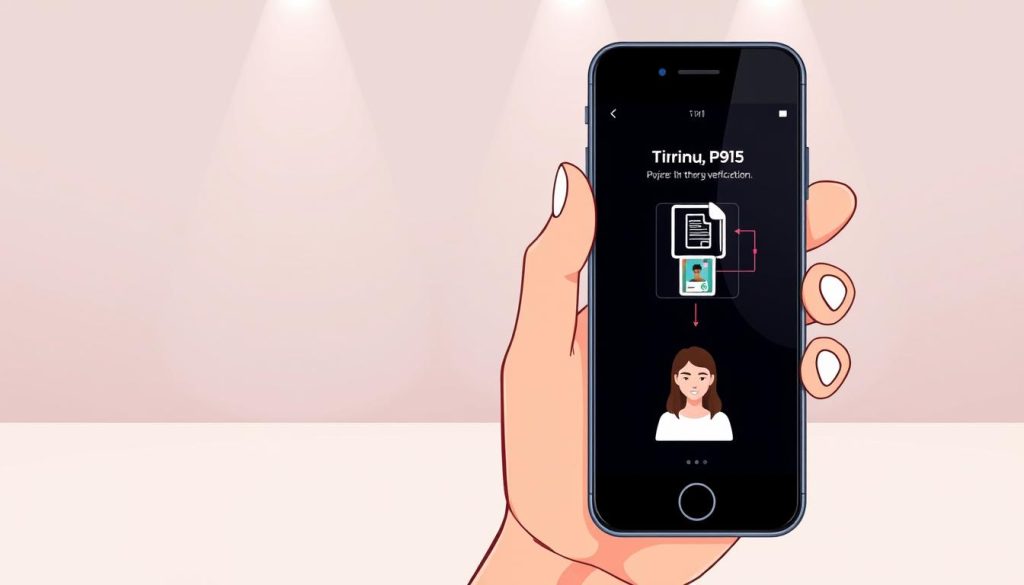
Open the dating application and tap the Explore icon (four squares at the bottom). Look for the “Photo Verified” module and select “Try now” to begin.
The system will display specific poses for you to mimic in short video clips. Follow the on-screen instructions carefully, ensuring good lighting and a clear view of your face.
After submitting your video selfies, the review typically takes 2-3 days. Once approved, you’ll receive notification and the blue badge appears next to your name. If declined, you can resubmit with better technique for approval.
Enhancing Your Verified Tinder Profile
Now that your profile has earned its trust badge, it’s time to make it truly shine. A verified status builds credibility, but engaging content is what captures attention and sparks conversations.
This next step focuses on maximizing your profile’s appeal. We’ll explore dynamic features that bring your personality to life.
Creating Engaging Video Loops and Selfies
Many dating apps now feature short, auto-playing video clips. These loops add movement and energy that static pictures cannot match.
They offer a quick, vibrant glimpse into your world. Using 2-3 of your best photos can create a compelling mini-story.
This type of media is highly effective on social platforms. It helps you stand out and feel more authentic to other users.
Utilizing Video Editing Tools for a Standout Profile
You don’t need to be a pro to create great video content. User-friendly desktop editors make the process simple.
Tools like Wondershare Filmora offer powerful features. You can easily trim clips, add filters, and insert text.
The investment of a few minutes can significantly boost your profile’s quality. It shows you are serious about making genuine connections.
| Content Type | Impact on Profile | User Engagement |
|---|---|---|
| Static Photos | Shows appearance | Standard |
| Video Loops | Shows personality & energy | High |
| Verified Badge + Loops | Builds trust & showcases character | Very High |
Additional Tips to Avoid Fake Profiles
Even with a checkmark next to your name, stay cautious. Be mindful of sharing personal details too quickly.
Trust your instincts during conversations. Quality content and a verified status help attract other real people.
Conclusion
With all the knowledge you’ve gained, you’re ready to elevate your online dating experience. You now understand the complete journey from authentication basics to advanced profile enhancement.
The process to get verified on your dating app is straightforward and rewarding. Your verified tinder status builds immediate trust with potential matches. This simple step transforms your entire profile presence.
That blue checkmark gives you a clear competitive edge. It tells other users you’re genuine and committed to real connections. Don’t wait to get verified – the benefits begin immediately.
Take action today and watch your match quality improve. Your enhanced profile will attract more meaningful interactions. You’ve taken control of your dating journey with confidence and success.
FAQ
What exactly is the blue checkmark on a dating app profile?
The blue checkmark is a special icon that confirms a user’s profile is authentic. It shows that the person has successfully completed the app’s photo verification process, which helps build trust within the community.
How long does the account verification process usually take?
The entire process is quite quick! From start to finish, it typically only takes a few minutes. After you submit your selfies, a real person reviews them to ensure everything matches up before granting that coveted checkmark next to your name.
Can I use any pictures from my camera roll for the verification step?
No, you cannot use existing photos. The feature requires you to take new, real-time selfies through the app’s camera. This helps prevent the use of old pictures or fake images, making the system more secure against fraudulent profiles.
What should I do if my verification request is denied?
If your submission isn’t approved, don’t worry! You can try the process again. Make sure you’re in a well-lit area, your face is clearly visible, and you’re closely following the specific poses requested by the on-screen prompts.
Does having a verified profile improve my matching success?
Absolutely! A profile with the blue icon often sees better results. It signals to other users that you are a genuine person, which can increase the likelihood of matches and more meaningful conversations on the platform.
Are my verification selfies stored or used elsewhere on the app?
The selfies you take for the verification check are used solely for confirming your identity. They are not displayed on your public profile or used in other app features like social media stories or gaming content.