What Is Passport Mode on Tinder? How It Works
Published Wed Dec 31 2025 by Thomas Jentzsch
 AI-generated
Welcome to your complete guide on using a powerful feature that lets you explore dating opportunities beyond your current location. This tool opens up a world of possibilities for connecting with new people.
If you want to expand your social circle or meet international matches, this guide is for you. We will walk you through everything you need to know about this popular feature. It’s perfect for planning ahead for a trip.
What is Passport Mode on Tinder?
Tinder Passport is a feature that lets you change your Discovery location so you can see, like, and match with people in another city before you arrive. Tinder includes Passport with its paid subscriptions, such as Tinder Plus, Tinder Gold, and Tinder Platinum.
- Open Tinder and go to Settings.
- Tap Location or Swiping in Passport.
- Search for a city or drop a pin on the map.
- Set Discovery to that place and start swiping there.
Use Passport before a trip, a move, or to test dating in a new area. Menu labels can vary by app version and region. For best results, mention the city naturally in your profile or opener so matches understand why you are showing up there.
Understanding how this passport tool works can transform your dating experience. It allows you to connect with users in different cities before you even arrive. This is ideal for making new friends or finding travel companions.
This comprehensive resource is designed for anyone interested in global connections. Get ready to discover how you can connect with people you might never have met otherwise.
Key Takeaways
- This feature allows you to change your virtual location on the app.
- It is a premium feature designed to enhance your dating experience.
- You can use it to connect with people in other cities or countries.
- Think of it as a digital passport for meeting new users.
- It’s great for planning trips and making connections in advance.
- This guide will show you how to activate and use it effectively.
Understanding Tinder Passport and Its Benefits
Imagine being able to explore romantic possibilities in any city worldwide without leaving home. This powerful tool opens doors to international connections and cultural exchanges.
What is Tinder Passport?
Tinder Passport, often called travel mode, is a premium feature that removes geographical limitations from your dating experience. Instead of being tied to your physical location, you can virtually transport your profile anywhere.
This feature allows you to select any city globally and interact with local users as if you were physically present there. It’s designed for modern daters who want broader horizons.
Key Features and Functionality
The passport feature offers remarkable flexibility. You can change your virtual location unlimited times, though only one city is active at any moment. This makes it perfect for planning trips or exploring multiple destinations.
To access these capabilities, you need a paid subscription like Tinder Plus or Tinder Gold. The investment unlocks global dating potential beyond standard search radius limits.
Key advantages include:
- Building connections before traveling
- Expanding your dating pool significantly
- Meeting people from diverse cultures
- Perfect for frequent travelers and digital nomads
tinder passport, how to use tinder passport
Getting started with location-based matching requires just a few simple steps that unlock worldwide connections. The process is designed to be user-friendly and intuitive.
Activating the Feature through Tinder Plus, Gold, or Platinum
First, you need a premium subscription to access this functionality. Options include Tinder Plus, Tinder Gold, or Tinder Platinum tiers.
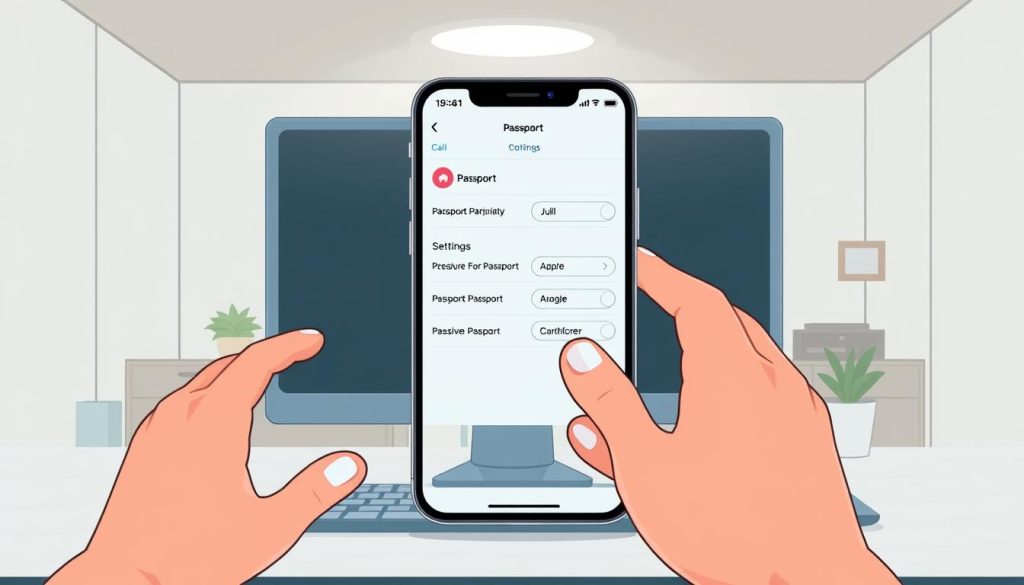
Open the app and tap your profile icon. Navigate to the subscriptions section to choose your preferred plan. Each tier offers different benefits beyond location changing.
 AI-generated
Setting Your Desired Location
Once your subscription is active, accessing the location feature is straightforward. Go to your profile settings and find the location menu.
You can enter any city, address, or zip code. The system updates immediately, showing profiles from your selected area. You can switch locations as often as needed.
| Subscription Tier | Monthly Cost | Passport Access | Additional Features |
|---|---|---|---|
| Tinder Plus | Starting at $14.99 | Yes | Basic premium features |
| Tinder Gold | Starting at $24.99 | Yes | See who likes you, extra boosts |
| Tinder Platinum | Highest tier | Yes | Priority likes, message before matching |
The settings interface makes managing your virtual location simple. You can return to your actual location anytime by selecting your current city.
Changing Your Location on Tinder
Ready to virtually transport your profile to a new city? The process is surprisingly simple. This feature gives you complete control over where you appear to other users.
You can target a specific neighborhood or an entire metropolitan area. This flexibility is perfect for planning ahead.
Steps to Manually Change Your Location
Start by opening the app and tapping your profile icon. This takes you to your account settings. From there, navigate to the “Settings” menu.
Scroll down to find the “Location” option. Tapping this reveals your current spot and an option to “Add a new location.” This is your gateway to a new dating pool.
You can enter a city name, a specific address, or a zip code. The search function is very flexible. After entering your desired new location, a map preview lets you confirm the area.
The change happens instantly. You can only have one active location at a time, but you can change it as often as you like. To return to your actual location, just repeat the steps and select your home city.
For those looking for alternative methods for changing your app’s, other options exist outside the official feature.
Tips for Maximizing Matches While Traveling
Travel dating presents unique opportunities that call for thoughtful preparation and clear communication. Making the most of your limited time in each location requires a smart strategy.
 AI-generated
Crafting an Attractive Profile for New Audiences
Your profile becomes your first impression when meeting new people. Select photos that showcase your personality and interests clearly.
Write a bio that communicates what makes you interesting to local audiences. This helps you get matches who appreciate your authentic self.
Timing Your Location Change for Best Results
Change your virtual location three to seven days before arriving. This gives you enough time to build connections with local people.
By the time you physically reach the city, you’ll already have established conversations. This strategic timing maximizes your opportunities.
How to Be Honest About Your Travel Plans
Transparency builds trust with potential matches. Clearly state your travel dates and intentions in your profile.
Mention that you’re visiting and what you hope to experience. This attracts people who are open to meeting travelers.
Honesty ensures you connect with individuals who share your dating goals. It saves time and creates more meaningful interactions.
Troubleshooting Common Tinder Passport Issues
Sometimes the location-changing feature doesn’t work as expected, but most issues have simple solutions. Understanding why errors occur helps you fix them quickly.
Reasons for Location Errors
Several factors can cause your location settings to malfunction. The most common problem involves GPS permissions on your device.
Your phone must grant location access to the dating app for proper functionality. Check this in your device’s settings under Apps > Tinder > Permissions.
Another frequent issue is entering an incorrect address or city name. The system needs accurate information to find your desired destination.
Fixing the App: Reinstallation and Reset Options
When your tinder location appears stuck, try resetting your settings. Navigate to Discovery Settings > My Current Location in your tinder account.
Switch to your actual spot first, then restart the application. This simple reset often resolves loading problems with the passport feature.
For persistent issues, complete reinstallation may be necessary. Uninstall the app, restart your device, and download it fresh.
Always verify your subscription status if problems continue. An expired plan will disable the passport feature entirely.
Comparing Tinder Passport with VPN Location Spoofing
When exploring global dating options, users often face a choice between official methods and alternative approaches. Both can change your virtual location, but they work quite differently.
Pros and Cons of Each Approach
The official passport feature offers reliability and full support from the platform. You won’t risk account issues when using this method.
VPN services provide a more affordable way to adjust your location. They also add privacy protection for your internet connection.
| Feature | Official Method | VPN Spoofing |
|---|---|---|
| Cost | Requires premium subscription | Often more budget-friendly |
| Reliability | Fully supported | Potential detection risks |
| Setup Complexity | Simple app settings | VPN + GPS spoofing needed |
| Additional Benefits | Platform features only | Full internet privacy |
When to Choose a VPN over Tinder Passport
Consider a VPN if budget is your main concern. This approach can provide free tinder location changes without subscription fees.
Privacy-conscious users may prefer VPNs for their encryption benefits. The service secures all your online activity, not just dating app use.
For those wanting a different method to adjust location, VPN spoofing offers flexibility. It works well for occasional travelers testing new areas.
Conclusion
Making meaningful connections across borders requires both the right technology and authentic communication. This global dating tool opens up incredible opportunities to meet interesting people worldwide.
Your profile should clearly communicate your travel intentions. Take time to build genuine matches before arriving in a new location. This preparation leads to more successful meetings.
Remember that honesty creates the best connections. People appreciate transparency about your visit duration and goals. The official subscription ensures reliable access without technical issues.
Whether seeking romance, friendship, or local insights, this feature transforms how we connect globally. Embrace the journey of meeting diverse individuals and creating memorable experiences wherever you go.
FAQ
What is Tinder Passport?
Tinder Passport is a premium feature that lets you change your profile’s location to any city worldwide. This allows you to browse and match with people in that area before you even arrive, making it perfect for planning trips or exploring new dating scenes.
How do I activate Tinder Passport?
You can activate this feature by subscribing to Tinder Plus, Tinder Gold, or Tinder Platinum. Once you have an active subscription, you’ll find the Passport option in your app settings to set your desired location.
Can I change my location for free?
Changing your location manually is a feature of the paid subscriptions. While the basic, free version of the app uses your phone’s GPS to show your real-time location, the ability to virtually relocate requires a Tinder Plus, Gold, or Platinum plan.
Why isn’t my new location showing up?
If your location isn’t updating, first check your subscription status to make sure it’s active. You can also try closing and reopening the app, or check your phone’s settings to ensure Tinder has permission to access your location services.
Is using a VPN a good alternative to Tinder Passport?
Using a VPN to spoof your location can be unreliable and may violate Tinder’s terms of service, potentially risking your account. The official Passport feature is a safer, more reliable method designed specifically for this purpose within the app.
How can I get more matches in a new city?
To maximize your matches, update your profile to reflect your travel plans or interest in the new area. Using clear, recent photos and a bio that resonates with a broader audience can also help you connect with more people.