Bumble Snooze Mode: How to Take a Break Without Deleting Your Account
Published Sun Dec 28 2025 by Thomas Jentzsch
 AI-generated
Modern dating can be exciting, but it can also feel overwhelming at times. The constant stream of notifications and the pressure to always be “on” can lead to dating burnout. Sometimes, you just need to step back and recharge.
What if you could take a break without losing all your progress? That’s the power of a special feature within the popular dating app. This guide will show you how to temporarily pause your activity while keeping your matches and conversations safe.
This flexible tool is perfect for when life gets busy, you’ve met someone you want to focus on, or you simply need a digital detox. Unlike deleting your account, this is a reversible solution. It gives you the space you need without the fear of starting over from scratch when you return.
We will walk you through the simple steps to activate and deactivate this feature. You’ll learn exactly how it affects your visibility to other users on the app. Understanding the difference between taking a short break and permanently leaving is key to managing your dating experience.
By the end of this article, you’ll know how to use this strategic tool to enhance your journey. You can maintain your privacy and return to the platform whenever you’re ready. For a detailed look at how to implement this, check out our guide on how to pause your Bumble account.
Key Takeaways
- Snooze Mode lets you take a break from the app without deleting your account.
- All your current matches and conversations are saved while the feature is active.
- Your profile becomes hidden from new potential matches during the snooze period.
- It’s a free and reversible option available to all users.
- This is ideal for managing dating fatigue or focusing on an existing connection.
- You can choose the duration of your break, from 24 hours to an indefinite period.
Introduction to Bumble Snooze Mode
Navigating the world of online connections requires tools that respect your need for occasional downtime. This innovative approach lets you manage your dating journey with greater flexibility.
What is Bumble Snooze Mode?
Think of this functionality as a pause button for your dating life. It temporarily hides your presence from new potential connections while preserving all your current conversations.
When activated, your visibility disappears from the discovery feed. New individuals cannot view or interact with your account. However, existing connections remain fully accessible for continued communication.
| Break Duration | Best For | Flexibility |
|---|---|---|
| 24 hours | Short respites | Quick return |
| 72 hours | Weekend breaks | Moderate pause |
| 1 week | Digital detox | Extended rest |
| Indefinite | Open-ended needs | Maximum control |
“Taking intentional breaks from digital platforms can significantly improve your overall wellbeing and relationship satisfaction.”
Why Consider Taking a Break on Bumble?
There are many valid reasons to step back temporarily. You might want to focus on a promising connection without new distractions. Or you could be experiencing dating fatigue from constant swiping.
Personal priorities like work, health, or family sometimes demand your full attention. The official Snooze Mode feature gives you complete control over your participation timeline.
Many find that short breaks provide valuable perspective. They return with renewed energy and clearer intentions. This strategic tool helps prevent exhaustion while maintaining your established connections.
Benefits of Using Bumble Snooze Mode
Opting for a temporary hiatus provides two major benefits: safeguarding your connections and your well-being. It’s a strategic tool that enhances your entire dating experience.
 AI-generated
This approach gives you control. You manage your time and interactions in a healthy way.
Maintaining Your Matches and Chats
The biggest advantage is that all your current matches and conversations are saved. You don’t lose any valuable connections you’ve already made.
Your chat history remains fully accessible. You can continue talking with existing matches while on a break. They will not be notified that you’ve paused your activity.
This is perfect when you want to focus on a promising connection. It allows you to invest time without new distractions.
Enhancing Your Privacy and Mental Health
From a privacy perspective, this feature gives you significant control. Your profile disappears from public view, reducing your digital footprint.
Taking a break is crucial for mental health. It helps prevent burnout from constant swiping and messaging.
Knowing you can step away anytime reduces anxiety. It transforms the process from an obligation into a choice you make when you have the energy.
| Benefit Focus | Impact on Matches | Impact on You |
|---|---|---|
| Connection Safety | All chats and matches are preserved. | Peace of mind; no progress lost. |
| Communication Control | Talk only with existing connections. | Focus without new distractions. |
| Profile Privacy | Hidden from new users. | Reduced pressure and increased privacy. |
| Mental Reset | No new interactions. | Space for self-care and clarity. |
bumble snooze mode, hide bumble profile: How It Works
Let’s break down exactly what happens when you decide to take a temporary break from the app. The process is designed to be simple and give you immediate control.
How Your Profile Becomes Hidden
Activating the feature has an instant effect. Your account disappears from the discovery queue for new users. You will not show up in anyone’s swipe deck.
This means new people cannot find you, swipe on you, or send any requests. It offers complete invisibility to the broader user base.
However, your existing matches see your profile just like before. They can still view your photos and bio within your chat. There is no indication that you have pressed pause.
Understanding the Difference: Snoozing vs. Deleting
The distinction between these two actions is crucial. Using the pause function is a temporary and reversible choice.
Everything is preserved: your matches, conversations, photos, and preferences remain safely stored. You can reactivate your full presence anytime.
In contrast, deleting your account is a permanent decision. Your entire profile, all matches, and every conversation are erased forever. This information cannot be recovered if you return later.
This fundamental difference makes the pause feature the smarter option for anyone unsure about leaving for good. It provides a break without the irreversible consequences.
Step-by-Step Guide to Activating and Deactivating Snooze Mode
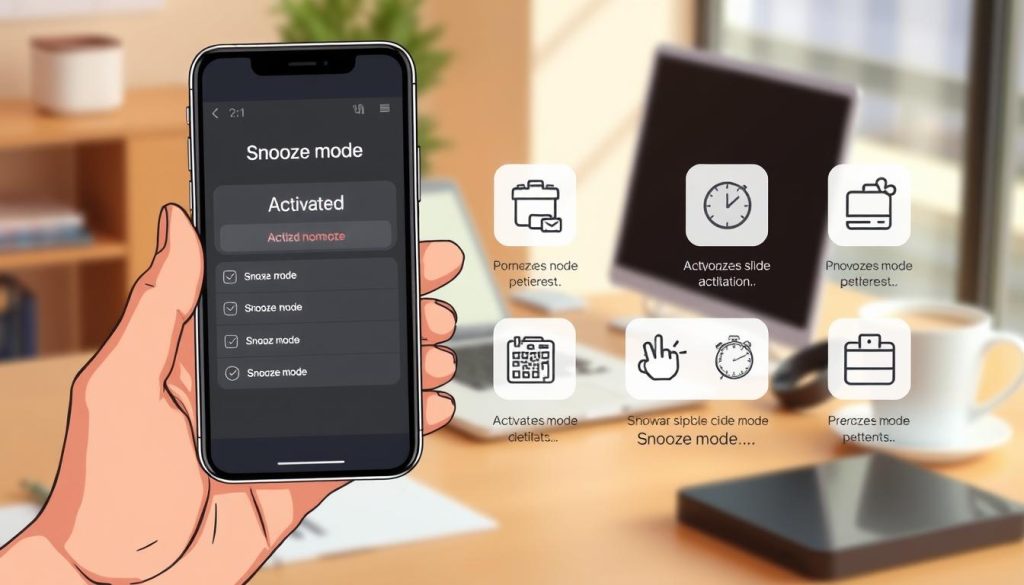
The process for initiating a temporary break is designed with user-friendliness in mind, making it accessible to everyone. You can manage your visibility in just a few moments.
 AI-generated
How to Activate Snooze Mode
First, open the application on your phone. Navigate to your profile screen by tapping the gray silhouette icon.
On your profile, find the Settings button (it looks like a gear). Tap it to see your account options.
Inside the settings menu, you will see the option for the pause feature near the top. Select it to choose your break length.
You can pick a duration: 24 hours, 72 hours, one week, or indefinitely. Confirm your choice. Your profile hides immediately.
How to Deactivate and Resume Your Profile
Returning is just as simple. Follow the same initial steps: open the app, go to your profile, and access settings.
Select the pause feature option again. This time, choose to turn it off.
Your full presence reactivates right away. You will reappear in the discovery queue instantly.
This simple control puts you in charge of your dating journey whenever you need a moment.
Additional Tips for Optimizing Your Dating Experience
Beyond temporary pauses, several strategies can enhance your overall app experience. Managing your digital footprint while keeping valuable connections strong creates a balanced approach.
Managing Location Settings and Privacy Concerns
Your approximate position helps show relevant matches nearby. The platform uses multiple methods to determine this information.
These include GPS signals, Wi-Fi networks, and cellular data from your device. Simply disabling one service may not fully conceal your position.
For complete location privacy, adjust permissions in your phone’s settings. On iOS devices, navigate to Settings > Privacy > Location Services. On Android, visit Settings > Location > App permissions.
Remember that limiting location access reduces core functionality. You won’t see distance information or nearby suggestions.
“Digital privacy begins with understanding how your information is used and taking conscious control of your settings.”
| Privacy Method | Effectiveness | Impact on Functionality |
|---|---|---|
| Disable app location access | High privacy | Major limitations |
| Use built-in pause feature | Profile hidden | Preserves connections |
| Third-party tools | Against terms | Account risk |
Keeping Your Current Connections Intact
When using the temporary break feature, your existing matches remain fully accessible. They can still view your information and send messages.
This allows you to focus on promising conversations without new distractions. Consider informing connections you’re taking a brief hiatus.
Clear communication maintains relationship momentum. Combining these approaches creates a respectful dating environment across all your devices.
Conclusion
The ability to manage your online presence while preserving valuable connections represents a significant advancement in dating app design. This thoughtful feature demonstrates how modern platforms can prioritize user wellbeing over constant engagement.
Snooze Mode provides an essential middle ground for anyone needing space. It’s completely free for all users, regardless of subscription status. However, remember that pausing your account doesn’t stop subscription charges—you’ll need to cancel those separately through your app store.
Throughout your dating journey, taking strategic breaks can actually enhance your overall experience. This tool gives you complete control, allowing you to return refreshed and ready to engage meaningfully. Your connections and conversations remain safely preserved for whenever you’re ready to resume.
FAQ
What exactly happens to my profile when I use this feature?
When you activate the feature, your profile is temporarily hidden from the discovery queue. This means new people won’t see you in their swiping deck. Your existing matches and ongoing conversations will remain accessible, allowing you to pick up right where you left off when you return.
Will my current matches know that I’ve activated this setting?
No, your active connections will not receive a notification. They can still see your profile in their match list and send you messages. You’ll be able to see those messages when you log back into the app, but you won’t appear as “active” to them during your break.
Can I still access the app and my conversations while my profile is snoozed?
Absolutely! You can log in anytime to review your chats and view your connections. The primary function is to pause new interactions, giving you a chance to focus on your current connections or simply take a step back from the dating scene without losing your progress.
How does this differ from deleting my account entirely?
This is a key distinction. Deleting your account permanently erases your profile, matches, and chat history. Using this feature is a temporary pause. It preserves all your data, so when you’re ready, you can deactivate the setting and your full profile, including all your matches, will be restored exactly as you left it.
Are there any privacy benefits to using this feature?
Yes, there are significant privacy advantages. By hiding your profile, you control your visibility. This can help manage your digital footprint and provide peace of mind, especially if you’re concerned about your GPS location being visible or just want a more private experience for a while.
How do I turn this setting on and off?
It’s a simple process. In the app, navigate to your settings. Look for the option to “Snooze” or “Take a break.” Select your preferred duration, and confirm. To deactivate, you just return to the same settings menu and toggle the feature off. Your profile will immediately reappear for others to see.